
More Engine Features
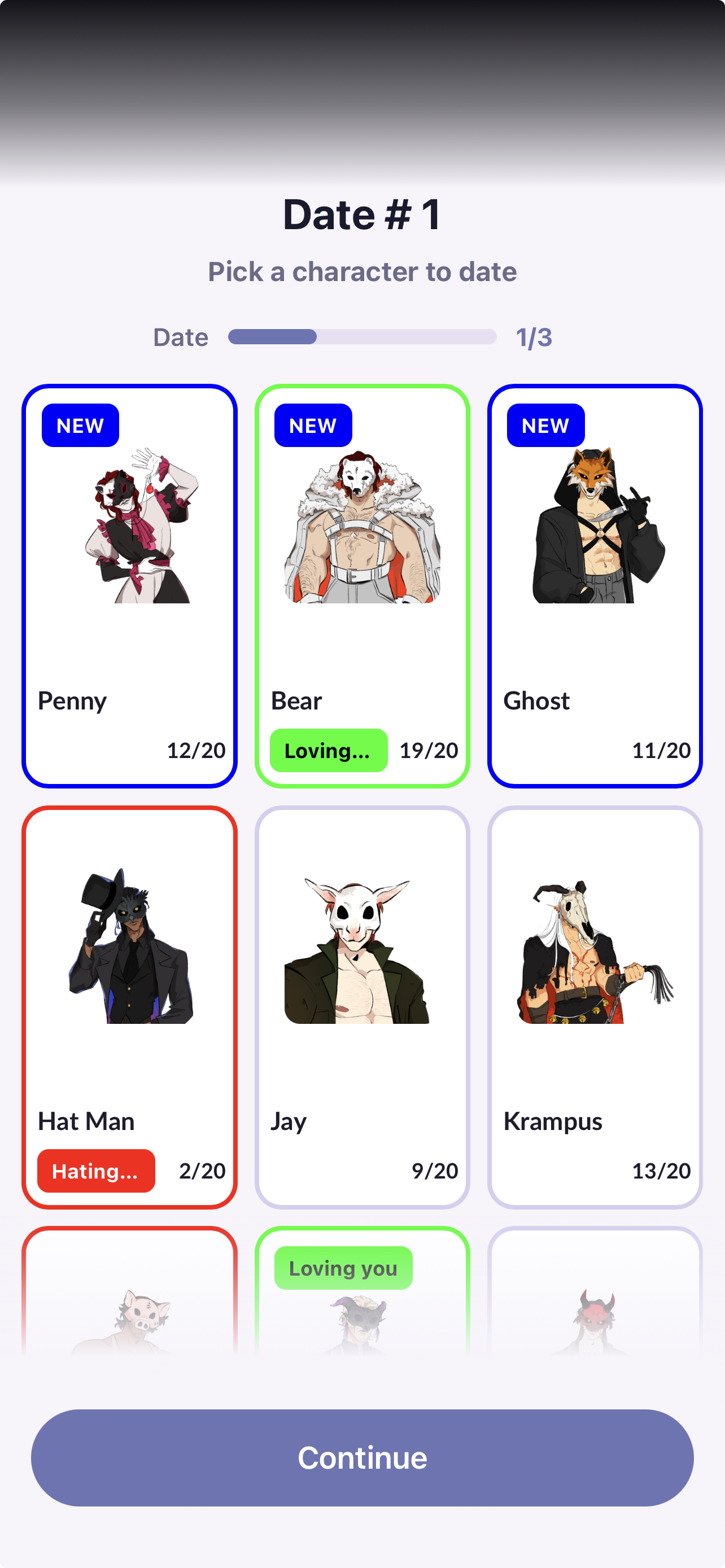
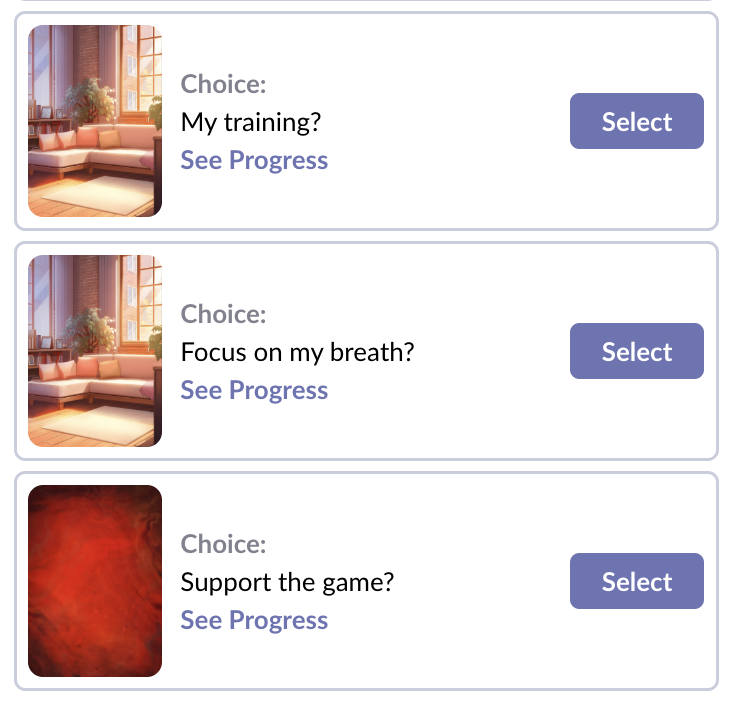
The Hub Step is a visual choice menu that lets players pick from a series of images. Think of it like a map, chapter select, or free-roam menu inside your episode.
This is an advanced feature that allows you to add character art, labels, progress bars, and optional status tags. Every part of this is entirely customizable.
What the player sees
A Hub can include:
Multiple selectable options (characters, locations, activities, etc.)
Character images or thumbnails
Progress bars (example: Date 1/3, Investigation 2/5)
Status labels/tags (example: New. These are completely customizable)
A continue button to keep playing without selecting any of the options above
This makes Hub Steps especially powerful if you want your players to revisit characters or complete content in a flexible order.
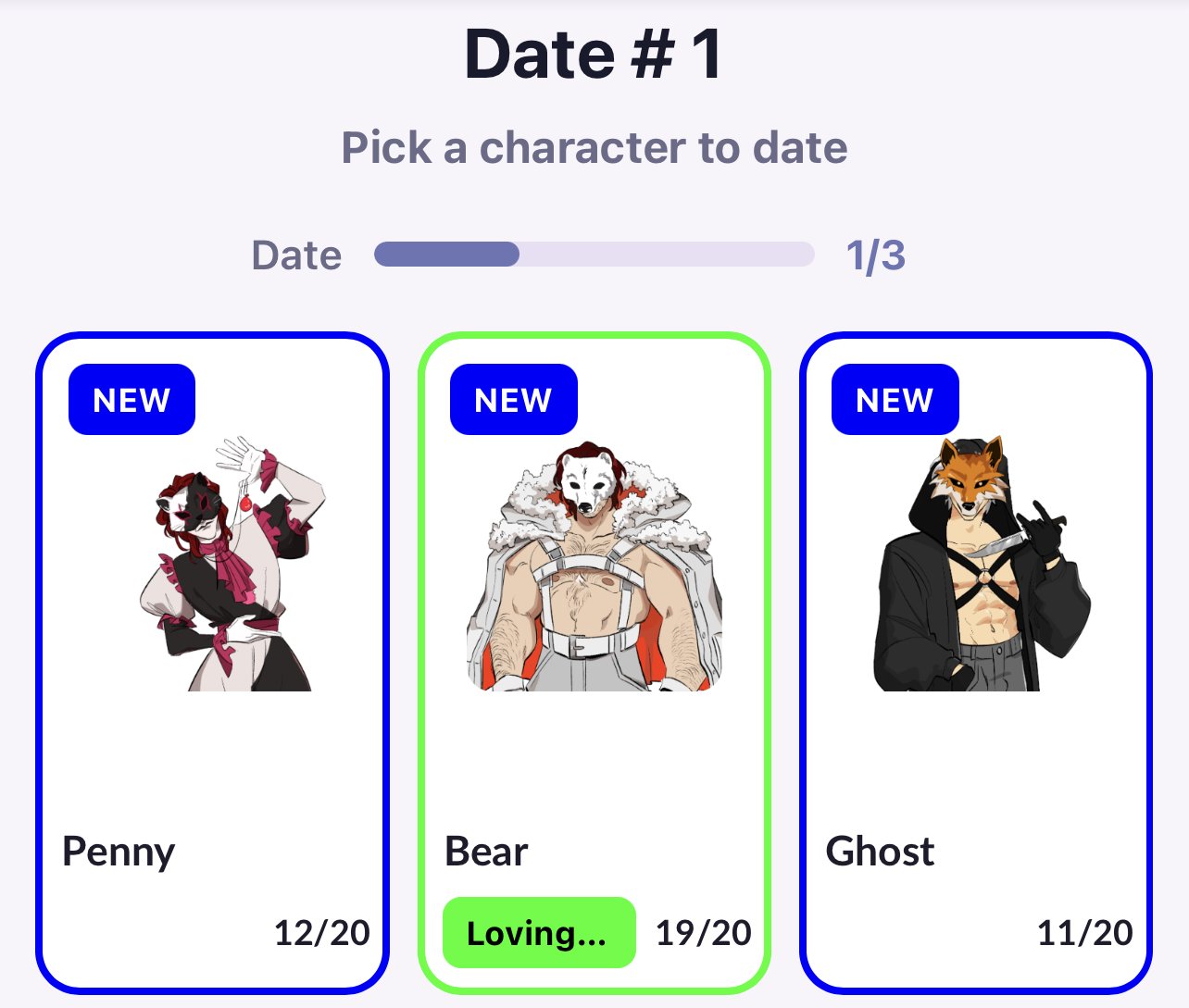
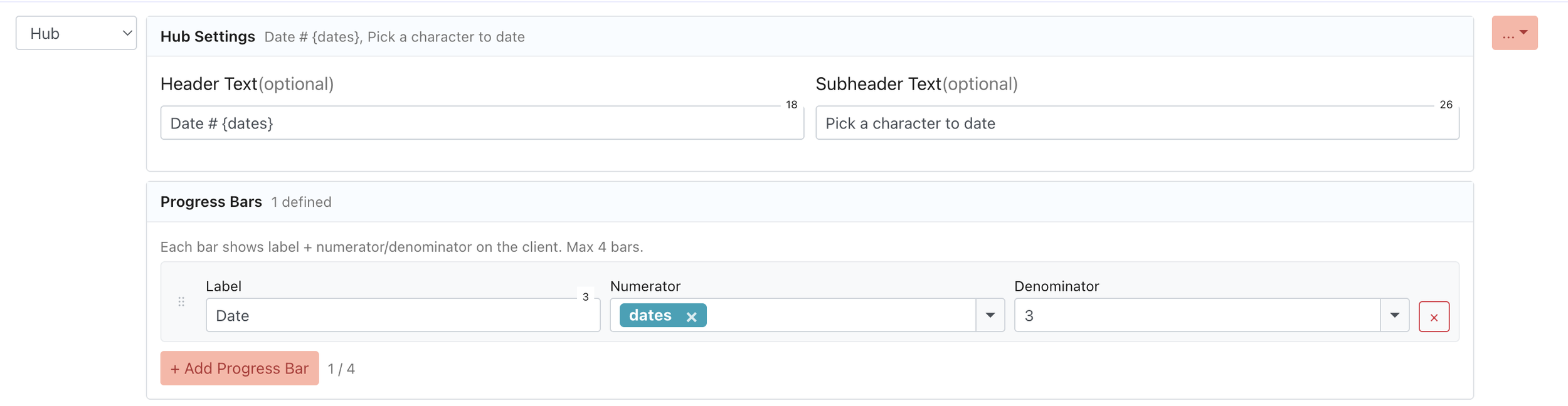
For each hub, you can define:
Header
Subheader
Progress bar
You can enter numbers or use existing variables from your memory bank
How it works in the engine
In the engine, each Hub Option functions like a branching choice that leads the player to a different node.
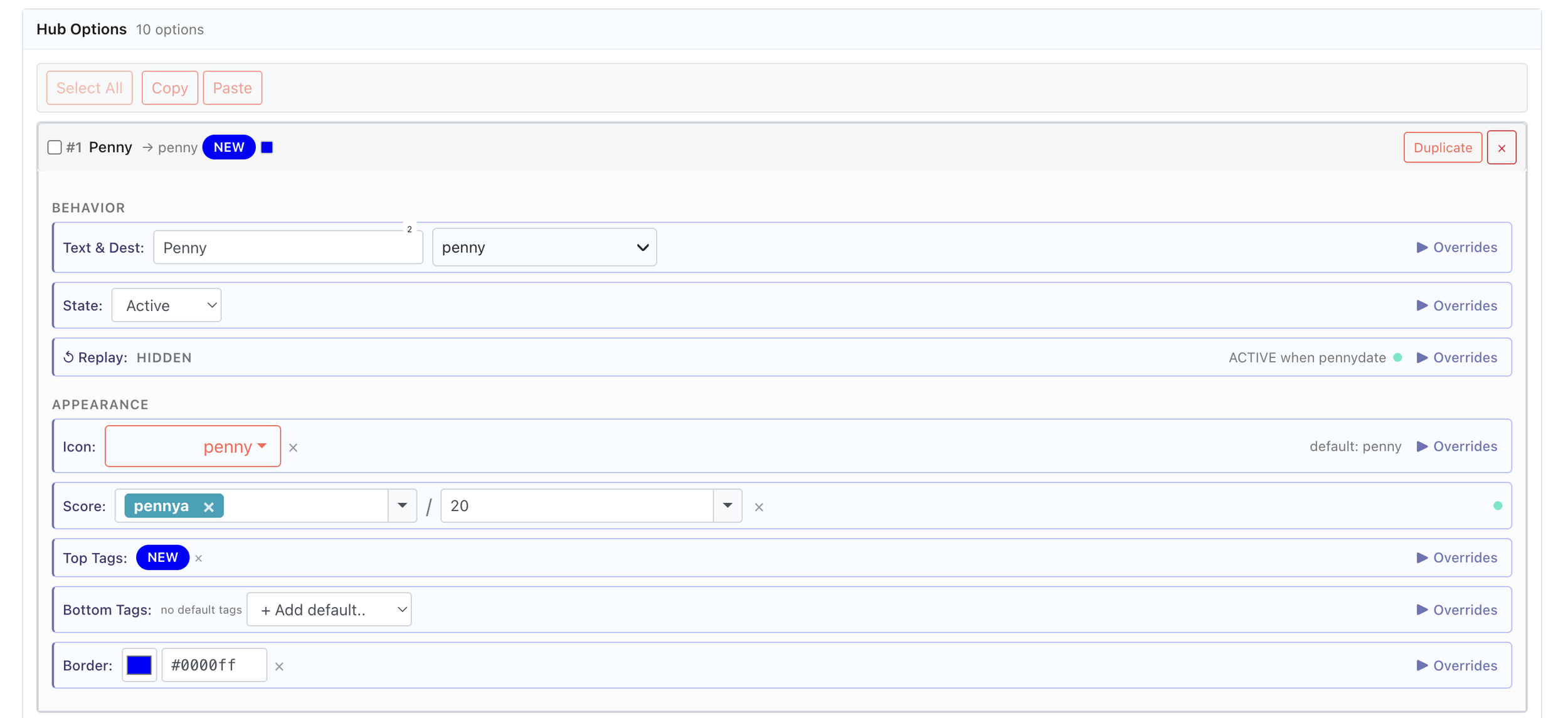
For each option, you can define:
Text shown to players
Destination node
Defines the node that option leads to
State
Active | Hidden | Disabled
Replay button
Allows players to replay the same option when returning to the hub.
This can be customized to lead to a different node the second time a player clicks on it within the same playthrough.
Thumbnail image
Tags
These are small labels displayed at the top or bottom of each option
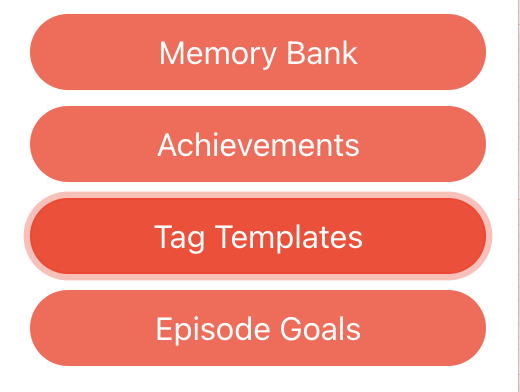
In order to use tags, you need to create them separately in Tag Templates.
Score
Tracks a player’s progress based on customizable variables.
Border
Defines the color of the border of each option.
Overrides
You show, hide, or lock any of the above options based on any variable.
How to use Overrides
When using Overrides, your options are endless! So here is a simple example that will easily demonstrate their purpose.
Remember: you can apply this to every detail of your hub.
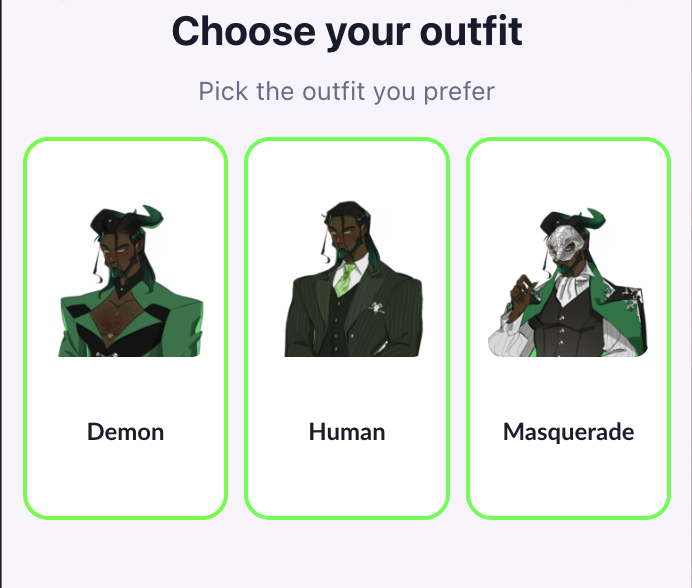
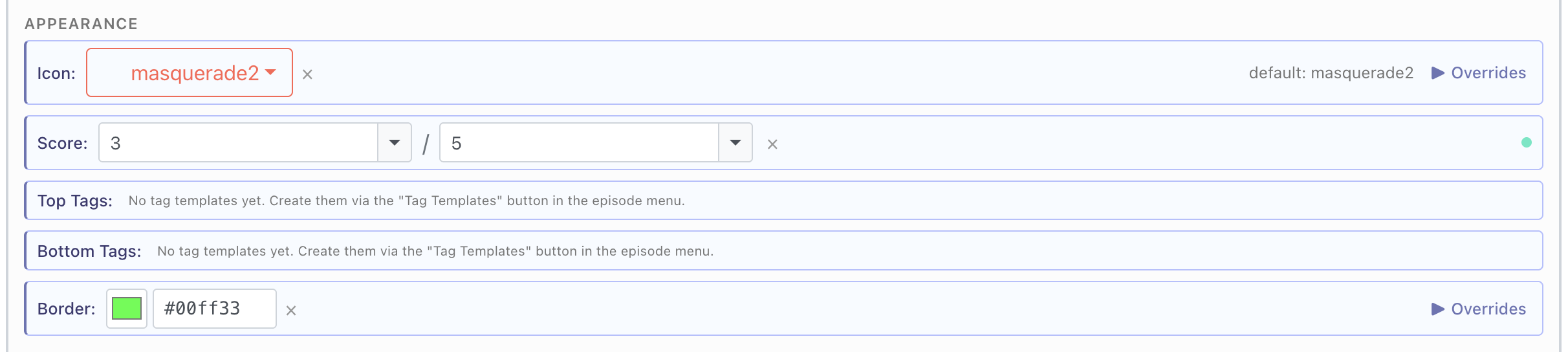
1. Let’s set a green border for each option.
2. Let’s set an override so players with less than 15 affection points will see a red border on the masquerade option.
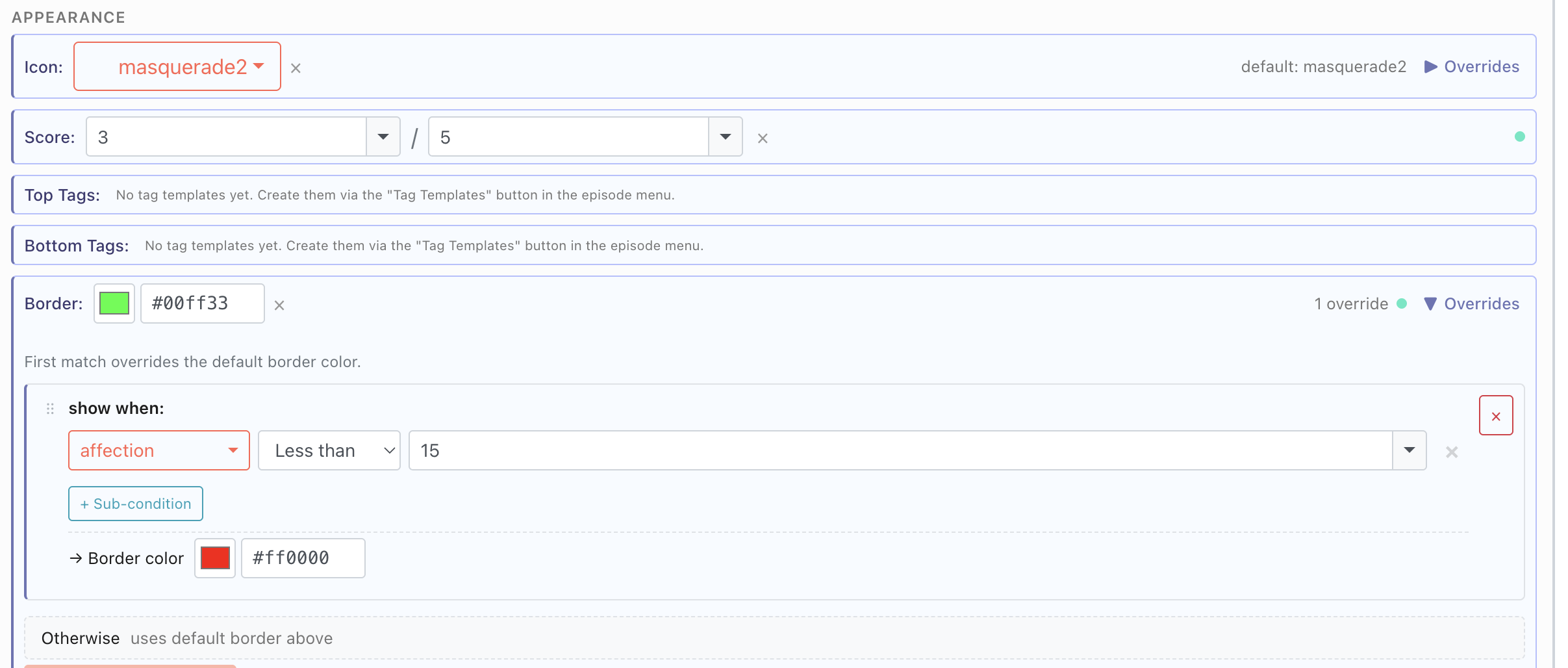
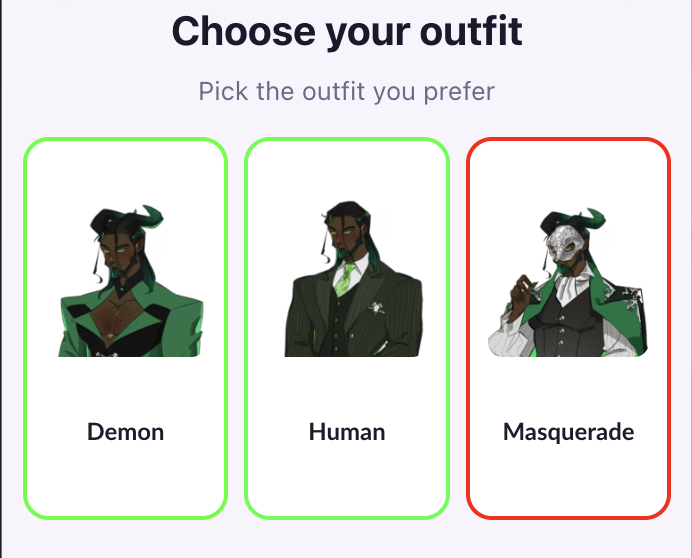
This process can be used to customize every element of your hub. From the appearance of an option to the node it leads to, or whether it is visible to specific players.
⚠️ Beta Feature Notice
This feature is currently in beta and may have limitations or unexpected behavior.
Please note:
Not currently supported by the Text Importer. Setup must be done manually in the engine.
Premium Options are not currently supported within this feature.
We strongly recommend testing your game directly in the app, as the engine emulator has limited capabilities and may not accurately reflect the final player experience.
Unlike regular choices, players will not see hubs in their replay menu.
As with all beta features, we expect functionality to change over time based on feedback.