
Más funciones del motor
Paso del Hub
Permite que tus jugadoras tomen decisiones visuales.
Por ahora, esta lección solo está disponible en inglés.
The Hub Step is a visual choice menu that lets players pick from a series of images. Think of it like a map, chapter select, or free-roam menu inside your episode.
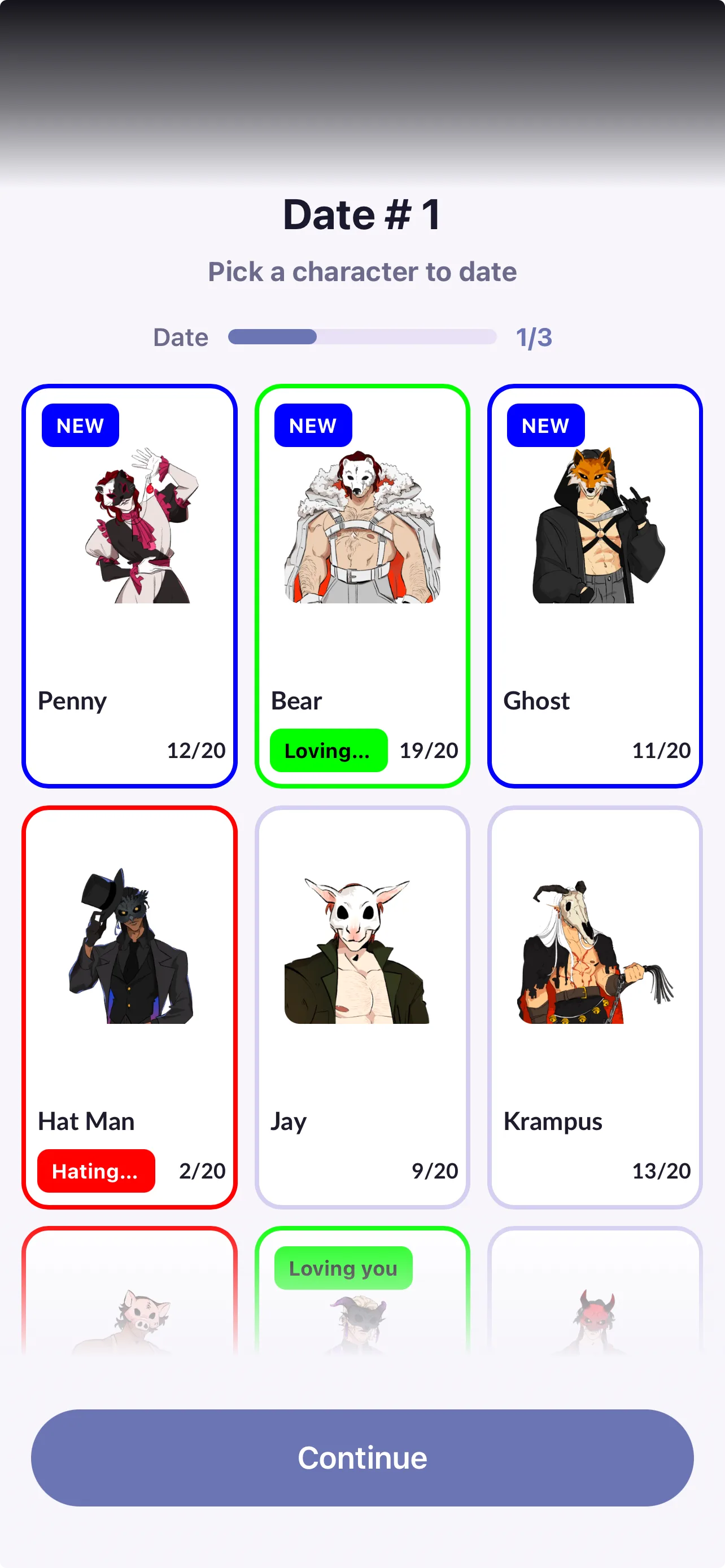
This is an advanced feature that lets you add character art, labels, progress bars, and optional status tags. Every part of it is fully customizable.
What the player sees
A Hub can include:
- Multiple selectable options (characters, locations, activities, etc.)
- Character images or thumbnails
- Progress bars (example: Date 1/3, Investigation 2/5)
- Status labels/tags (example: "New", these are completely customizable)
- A continue button to keep playing without selecting any of the options above
This makes Hub Steps especially powerful if you want your players to revisit characters or complete content in a flexible order.
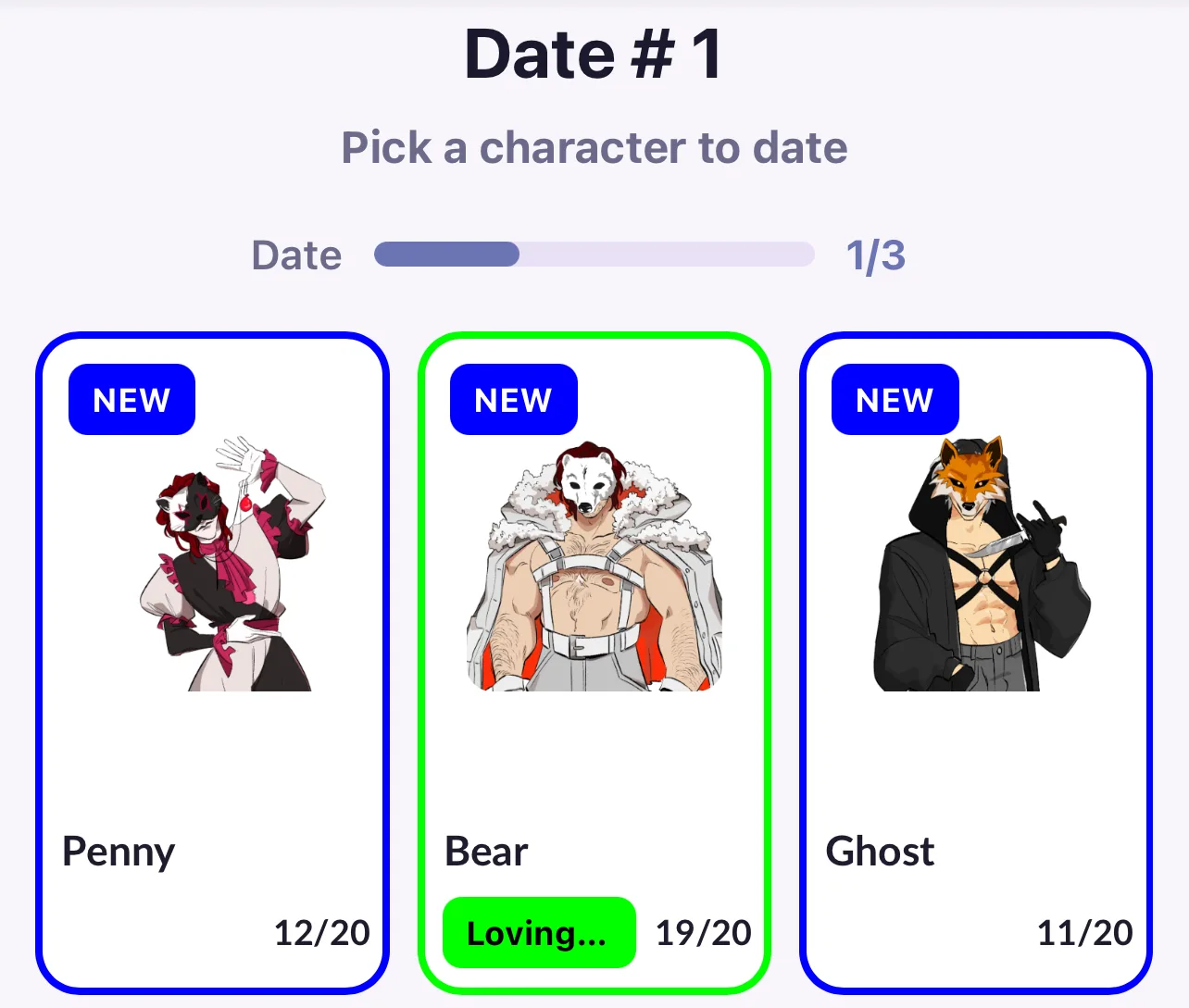
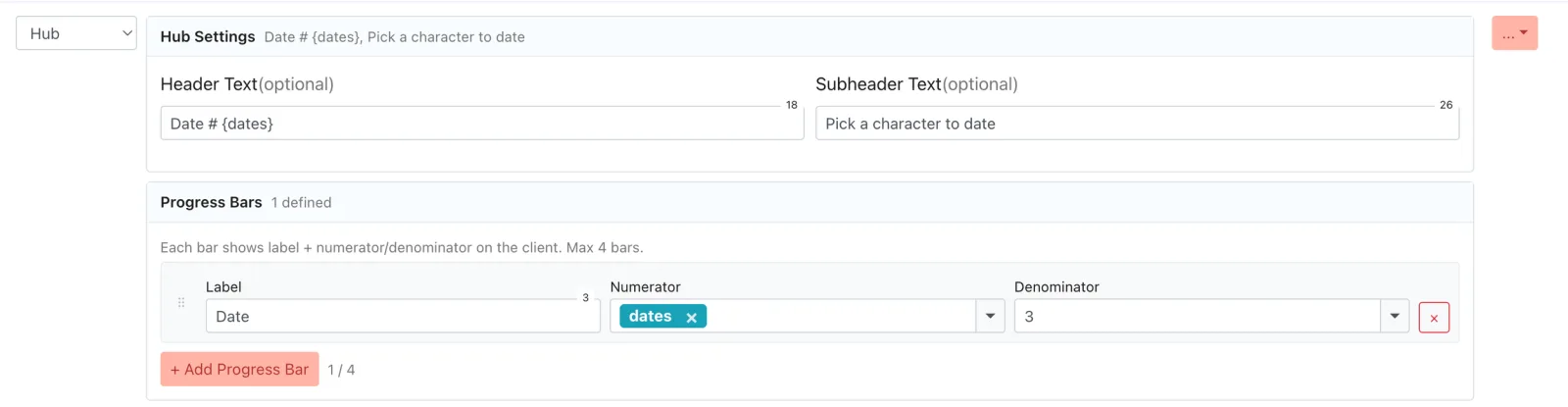
For each hub, you can define:
- Header
- Subheader
- Progress bar: You can enter numbers or use existing variables from your memory bank.
How it works in the engine
In the engine, each Hub Option functions like a branching choice that leads the player to a different node.
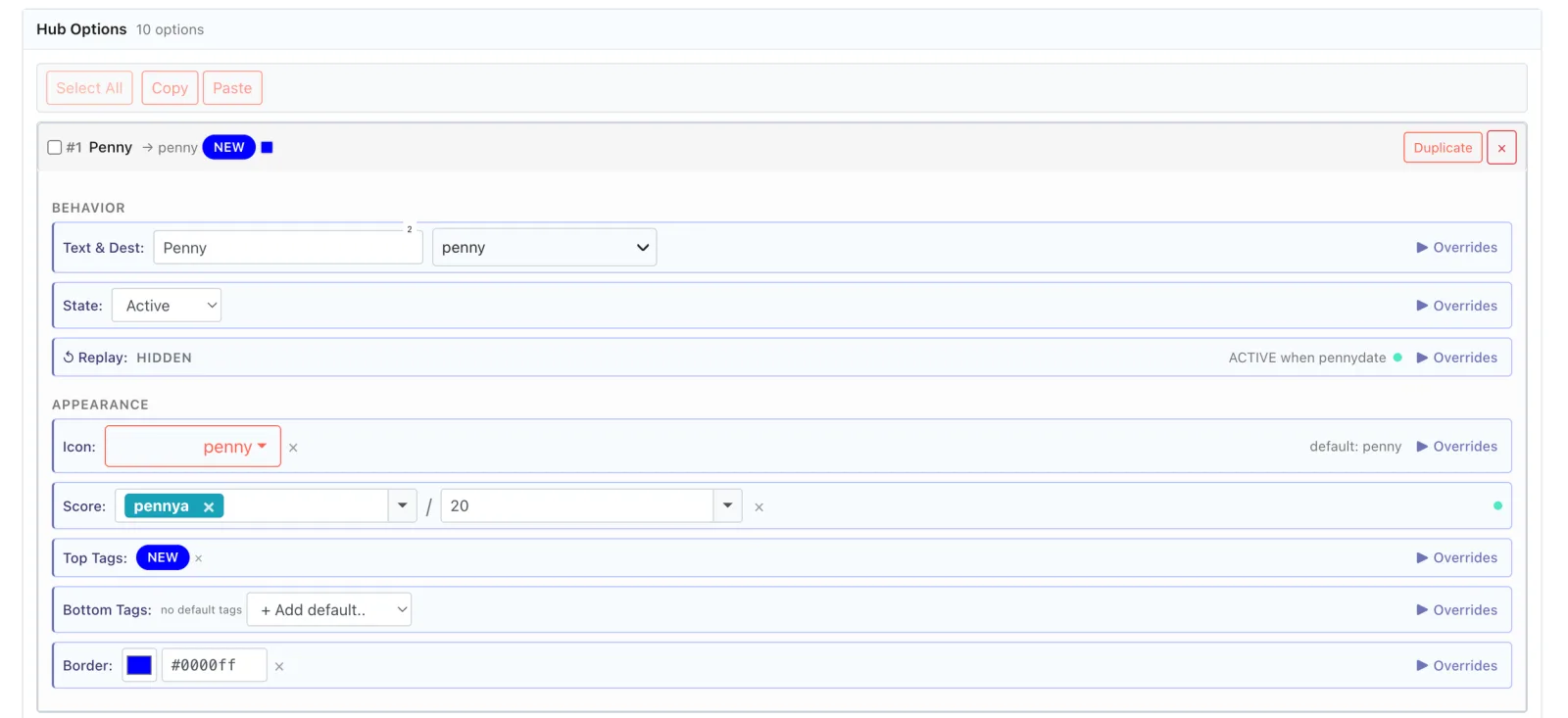
For each option, you can define:
- Text shown to players
- Destination node: Defines the node that option leads to.
- State: Active, Hidden, or Disabled.
- Replay button: Allows players to replay the same option when returning to the hub. This can be customized to lead to a different node the second time a player clicks on it within the same playthrough.
- Thumbnail image
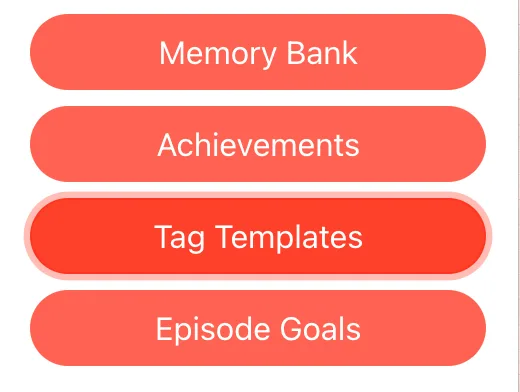
- Tags: Small labels displayed at the top or bottom of each option. To use tags, you need to create them separately in Tag Templates.
- Score: Tracks a player's progress based on customizable variables.
- Border: Defines the color of the border of each option.
- Overrides: Show, hide, or lock any of the above options based on any variable.
How to use Overrides
When using Overrides, your options are endless. Here is a simple example that demonstrates their purpose. Remember: you can apply this to every detail of your hub.
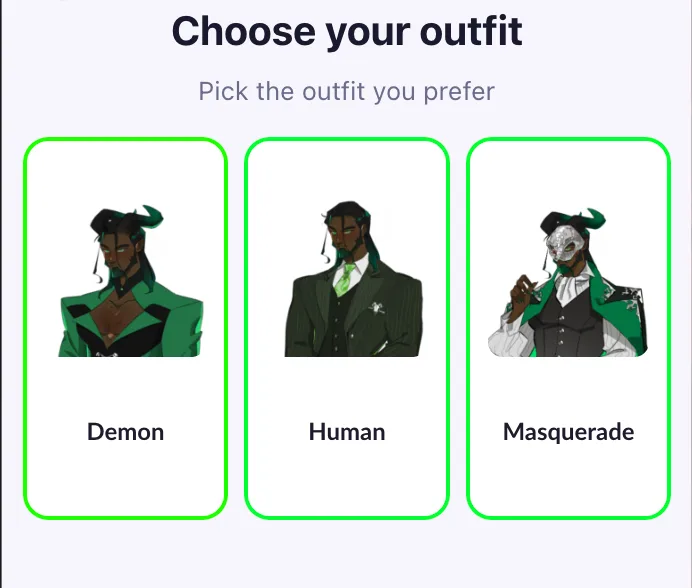
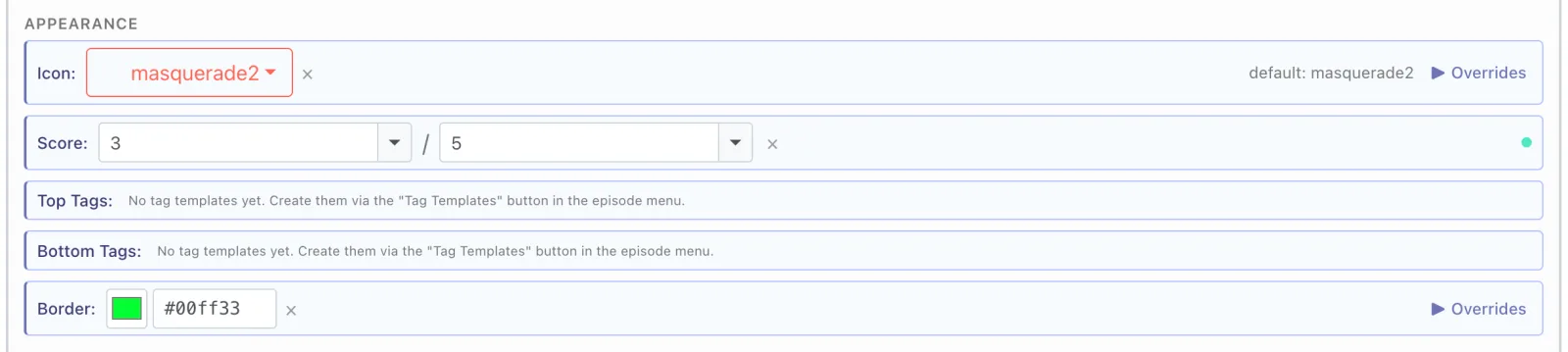
- Set a green border for each option.
- Set an override so that players with less than 15 affection points will see a red border on the masquerade option.
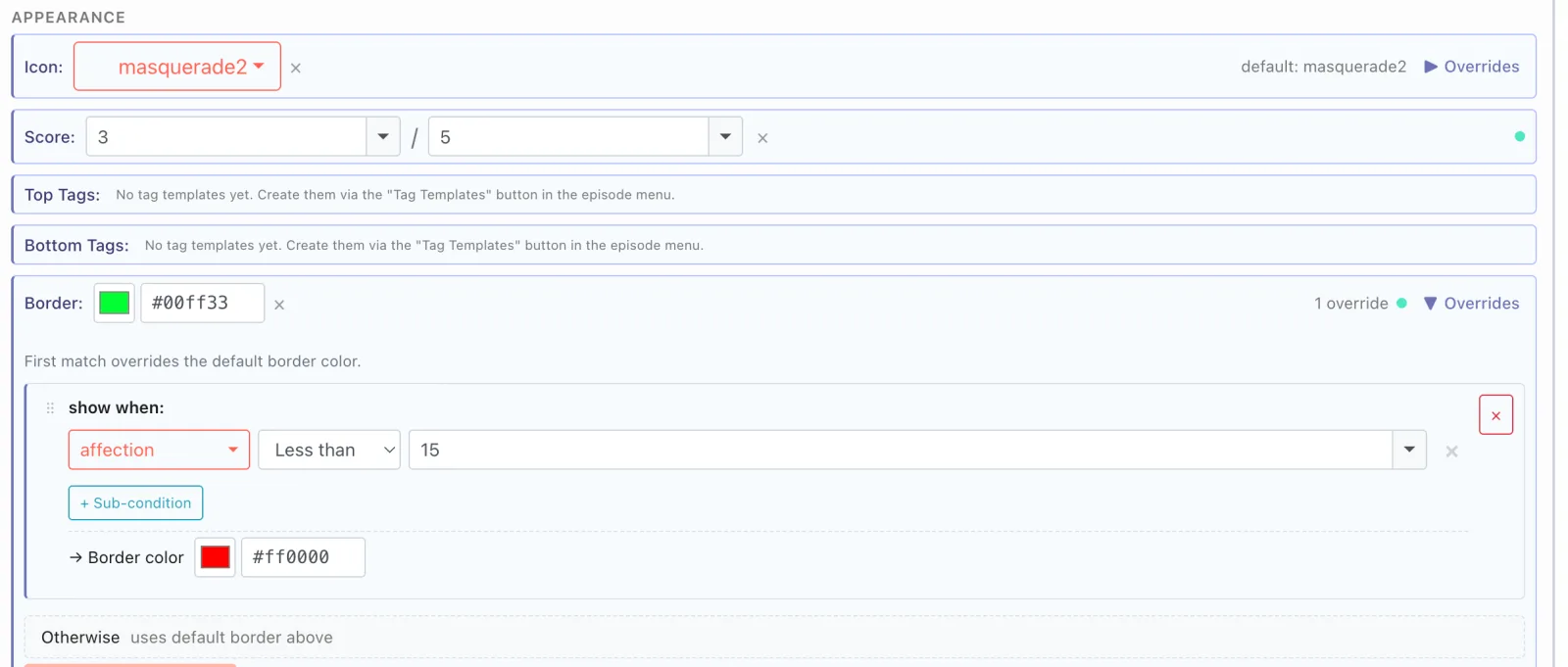
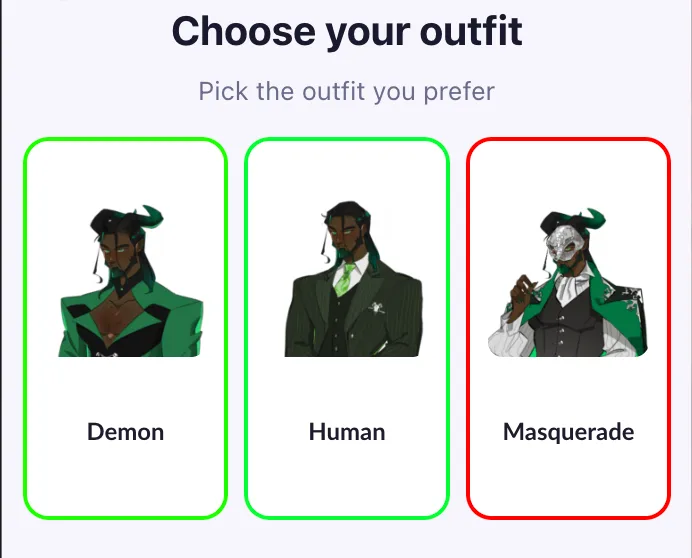
This process can be used to customize every element of your hub, from the appearance of an option, to the node it leads to, or whether it is visible to specific players.
Please note:
- It is not currently supported by the Text Importer. Setup must be done manually in the engine.
- Premium Options are not currently supported within this feature.
- We strongly recommend testing your game directly in the app, as the engine emulator has limited capabilities and may not accurately reflect the final player experience.
- Unlike regular choices, players will not see hubs in their replay menu.
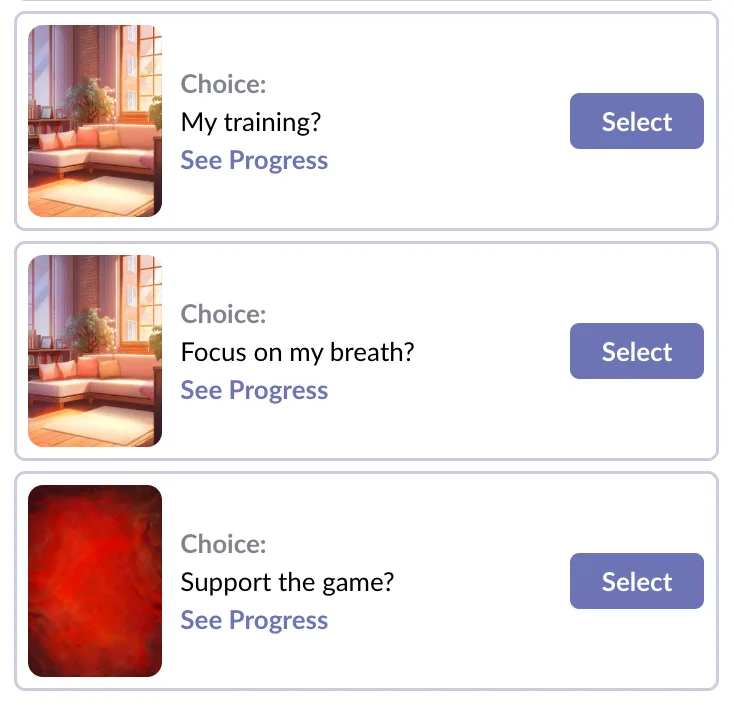
- As with all beta features, we expect functionality to change over time based on feedback.